
What Are the AI Tools to Track Productivity Effectively?
Explore what are the AI tools to track productivity and boost efficiency for small teams and creators, ensuring optimal performance in 2023.

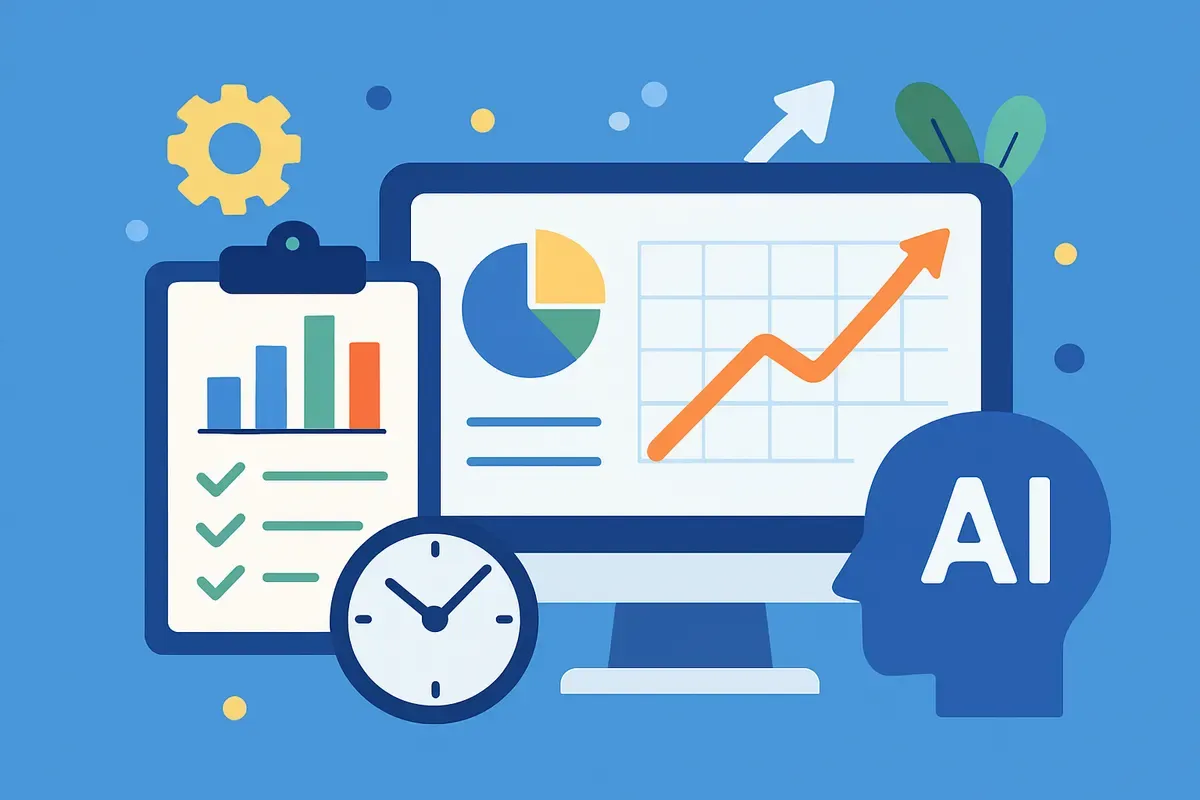
What are the AI tools to track productivity? These are software applications that use artificial intelligence to monitor and analyze work efficiency. They provide insights to improve performance.
In 2023, the use of AI-driven productivity tools has increased. Organizations want smarter ways to optimize workflows and engage with teams. These tools do more than monitor tasks. They offer intelligent suggestions, automate repetitive processes, and provide data-driven reports. The rise of remote work has increased the need for such tools. They help managers maintain oversight without micromanaging.
Understanding AI tools for productivity can guide businesses in choosing solutions that fit their needs. From tracking work hours to analyzing communication patterns, these tools are changing productivity management. As AI technology advances, staying informed about the latest tools helps businesses stay competitive and efficient. This article explores the top AI tools to consider for maximizing productivity in 2023. If you want to go deeper, see What Are the Top 10 Productivity Apps? Discover 2026's Best Tools.
What Are the AI Tools to Track Productivity?
AI productivity tools are software applications that enhance efficiency by automating tasks, analyzing data, and augmenting human capabilities in modern workflows. These tools are essential in both small businesses and large enterprises. They streamline operations and improve productivity.
The Rise of AI in Productivity
In recent years, AI tools have changed workplace productivity. A report by Microsoft shows these tools include virtual assistants that manage schedules and software that analyzes large datasets. AI tools like Microsoft CoPilot and Asana automate repetitive tasks. They also help use human resources more strategically. This automation allows employees to focus on complex and creative tasks, driving innovation.
Applications in Modern Workflows
AI productivity tools are versatile and used in various domains. For example, AI-powered email filters categorize and prioritize emails efficiently. This saves time for employees to focus on more important matters. AI chatbots in customer service handle routine inquiries. This allows human agents to tackle complex issues. The Digital Project Manager notes that tools like Grammarly provide real-time grammar checking and feedback, enhancing writing quality in professional settings.
Types of AI Productivity Tools
The range of AI productivity tools today is vast. Tools like Asana and ClickUp specialize in task and project management. They help teams organize and track work efficiently. Knowledge management platforms like Notion and Evernote use AI for better organization and information retrieval. According to Zapier, other tools focus on specific functions like image and voice generation, social media management, and transcription services. Each caters to unique needs and enhances specific workflow aspects.
Why They're Essential
The adoption of AI productivity tools is driven by the need to enhance operational efficiency and reduce manual workload. These tools increase productivity and help maintain a competitive edge in today's fast-paced business environment. By automating mundane tasks, businesses can focus more on strategic initiatives. AI tools provide insights through data analysis, aiding informed decision-making and strategic planning.
Future Outlook
As AI technology evolves, so will these tools' capabilities. The future will likely see more personalized and intuitive AI systems. They will predict user needs and offer proactive suggestions. This evolution will further integrate AI tools into daily operations, making them even more valuable for productivity enhancement. According to We360.ai, AI's role in employee productivity tracking will expand, offering more detailed analytics and insights into workforce efficiency. For businesses looking to optimize workflows, AI productivity tools offer a compelling solution. They improve efficiency, reduce costs, and foster innovation and strategic growth. The ongoing development of AI technology promises even more sophisticated tools in the future, solidifying their role in transforming workplaces.
Key Features of AI Productivity Tools
AI productivity tools are essential for enhancing efficiency by automating tasks, analyzing data, and providing virtual assistance. These features allow organizations to maximize output while minimizing effort.
Automation
Automation is a key part of AI productivity tools. By automating repetitive tasks, these tools free up time for complex problem-solving. For example, AI chatbots handle routine customer inquiries, enabling human agents to focus on intricate cases. AI email filters efficiently sort and prioritize messages. According to Microsoft, tools like these streamline operations, saving time and resources.
Data Analysis
AI tools excel at data analysis, processing large datasets to generate actionable insights quickly. This is crucial for businesses making informed decisions. For example, project management software like Asana uses AI to predict project timelines and resource allocation, optimizing workflow. Such insights help teams remain agile and adaptive in changing market conditions, as highlighted by The Digital Project Manager's review of top tools.
Virtual Assistance
Virtual assistants are increasingly indispensable in modern workplaces. These AI-driven aides manage schedules, set reminders, and book meetings. They integrate seamlessly with everyday tasks, acting as an extension of a user's cognitive capabilities. Tools such as Microsoft CoPilot and Grammarly enhance communication by offering real-time grammar checking and style suggestions, reducing cognitive load and enhancing productivity (source: Zapier).
Task and Project Management
AI enhances task and project management by providing intelligent scheduling and resource management. Applications like ClickUp and Hive use machine learning algorithms to forecast project timelines and adjust workloads. This adaptability is key to maintaining productivity in dynamic team environments. According to We360.ai, these tools also monitor employee productivity, giving managers deeper insights into team performance.
Natural Language Processing (NLP)
NLP is another critical feature, allowing AI tools to understand and generate human language. This technology powers chatbots and virtual assistants, enhancing customer service and internal communications. AI tools like Mem and Notion leverage NLP to help users organize knowledge efficiently, improving information retrieval and collaboration within teams.
- Automation: Reduces repetitive tasks, increasing efficiency.
- Data Analysis: Provides insights for informed decision-making.
- Virtual Assistance: Manages schedules and enhances communication.
- Task Management: Optimizes project timelines and resource allocation.
- NLP: Enhances customer service and information management.
By integrating features like these, AI productivity tools not only enhance individual performance but also drive overall organizational effectiveness.
Comparing Top AI Tools for Productivity
AI tools like Microsoft CoPilot, Grammarly, and Asana offer diverse features to boost productivity. These tools help users by automating tasks, enhancing efficiencies, and providing insightful analytics.
Microsoft CoPilot: Your Intelligent Assistant
Microsoft CoPilot serves as a virtual assistant that integrates with applications like Excel and PowerPoint to automate repetitive tasks. According to AI-Powered Productivity Tools, it helps users by generating data insights and suggesting optimizations. Its strengths lie in its seamless integration with Microsoft Office, making it valuable for businesses heavily reliant on these applications. However, CoPilot is less effective if your work doesn't primarily involve Office applications.
Grammarly: Enhance Your Writing
Grammarly is known for its powerful writing enhancement capabilities. It provides real-time grammar checking, style suggestions, and tone detection, which are especially beneficial for content creators. As per the 15 Best AI Productivity Tools Reviewed, Grammarly's personalized feedback can significantly improve writing quality. On the downside, frequent alerts can be distracting. The tool also requires a subscription for full access, which might not fit all budgets.
Asana: Streamline Project Management
Asana excels in task and project management, enabling teams to track productivity through detailed dashboards. It allows for task prioritization, deadline setting, and real-time collaboration. The Zapier review highlights its intuitive interface and scalability, making it suitable for teams of all sizes. A limitation of Asana is its complexity for new users, which can require a learning curve to fully utilize. Additionally, its pricing model may not suit small startups.
Comparison of AI Tools
Here is a summary of each tool's key strengths and weaknesses:
| Tool | Strengths | Weaknesses |
|---|---|---|
| Microsoft CoPilot | Seamless Office integration, data insights | Limited to Microsoft apps, less versatile |
| Grammarly | Real-time feedback, enhances writing | Distracting alerts, requires subscription |
| Asana | Effective project management, scalable | Complex for beginners, pricey |
These AI tools offer unique features that cater to different aspects of productivity enhancement. Choosing the right one depends on your specific needs, whether it's improving writing quality, managing projects, or automating tasks.
Emerging Trends in AI Productivity Tools
AI productivity tools are evolving with trends like integration with virtual assistants and advanced data analytics. These developments are enhancing efficiency and transforming workflows in various industries.
Integration with Virtual Assistants
Virtual assistants like Microsoft's CoPilot and chatbots have become integral to productivity tools. These assistants manage schedules and set reminders, streamlining administrative tasks and reducing manual workload (source: Microsoft). By automating routine operations, virtual assistants free up time for more strategic activities, thus boosting overall productivity.
Advanced Data Analytics
Advanced data analytics is another trend reshaping AI productivity tools. Sophisticated software can now analyze large datasets, offering insights that drive decision-making processes. For instance, AI-powered email filters can categorize and prioritize emails, saving users time and improving focus (source: The Digital Project Manager). This capability helps organizations leverage data for competitive advantage.
Real-Time Insights and Feedback
AI tools now provide real-time feedback on various tasks, such as writing and project management. Grammarly, for instance, offers personalized feedback and real-time grammar checking, enhancing communication skills (source: 15 Best AI Productivity Tools Reviewed in 2026). This instant feedback loop helps users refine their work continuously, leading to higher-quality outcomes.
Seamless Integration with Existing Systems
The seamless integration of AI tools with existing systems is crucial for maximizing their effectiveness. Many AI productivity tools, like Asana and ClickUp, now feature robust APIs that facilitate integration with other platforms (source: Zapier). This connectivity ensures that data flows smoothly across different applications, creating a more cohesive workflow.
Emphasis on User Experience
User experience is increasingly at the forefront of AI tool development. Tools like Notion and Mem focus on intuitive design and ease of use, making them accessible to a broad audience (source: Zapier). By prioritizing user-friendly interfaces, these tools minimize the learning curve and encourage widespread adoption.
The Future Implications
The current trends in AI productivity tools suggest a future where technology not only augments human capabilities but also fosters innovation. As AI continues to evolve, its ability to predict needs and automate tasks will become more sophisticated. This evolution will likely result in even more personalized productivity experiences, tailored to individual and organizational needs. The continuous improvement of AI technologies promises to revolutionize how we work, enhancing efficiency and unlocking new opportunities for growth.
Pros and Cons of Using AI Tools
AI tools offer significant advantages in enhancing productivity, but they also come with certain drawbacks that users need to consider. Understanding these can help you make an informed decision about integrating AI into your workflow.
Pros of Using AI Productivity Tools
AI productivity tools can significantly boost efficiency and streamline operations for individuals and teams. Here are some notable advantages:
- Increased Efficiency: AI tools like Microsoft CoPilot and Asana automate repetitive tasks, freeing up time for more complex activities. This automation allows teams to focus on strategic planning and innovation.
- Data-Driven Insights: AI tools analyze large datasets to generate actionable insights quickly, which is essential for data-driven decision-making. For example, AI-powered analytics in project management can help identify trends and predict project timelines successfully.
- 24/7 Availability: AI chatbots and virtual assistants provide constant support and handle tasks without human intervention. According to The Digital Project Manager, tools like Grammarly offer real-time grammar checking that improves writing quality anytime you need it.
- Customization and Personalization: AI tools offer personalized features, such as tone detection and style suggestions, to enhance user interaction and outcomes. This helps tailor tools to meet individual needs and preferences.
Cons of Using AI Productivity Tools
Despite the numerous benefits, AI productivity tools are not without their challenges and limitations:
- Potential Distractions: Frequent alerts and notifications from AI tools can distract users, impacting focus and productivity. This is a common issue with tools that provide constant updates or reminders.
- Cost Considerations: Many AI tools require subscriptions for full functionality, potentially creating a financial burden for small businesses or individuals not prepared to invest. As noted by Zapier, subscription costs can quickly add up.
- Overcorrection and Limitations: While AI can provide valuable suggestions, it may also mistakenly overcorrect informal language or personal writing styles, leading to less authentic communication.
- Dependence on Internet Connectivity: Most AI tools require a stable internet connection to function optimally. This can be a limitation for users in areas with poor internet access, as noted by Webex Blog on AI productivity tools.
By weighing these pros and cons, users can better decide how AI tools fit into their specific productivity strategies. To explore more about AI's role in enhancing workflows, you can refer to sources like AI-Powered Productivity Tools to Enhance Workflow Efficiency and The best AI productivity tools in 2026 - Zapier. These resources offer deeper insights into the potential and pitfalls of AI tools in productivity tracking.
Implementing AI Tools in Small Teams
Small teams can effectively integrate AI tools into their workflows by identifying key needs and choosing tools that streamline processes. This involves selecting AI solutions like virtual assistants or project management software to enhance daily operations.
Identify Team Needs
Begin by assessing your team's current processes and pinpointing areas that could benefit from automation. For instance, if managing schedules is a challenge, consider a virtual assistant like Microsoft CoPilot to automate meeting setups and reminders. According to AI-Powered Productivity Tools to Enhance Workflow Efficiency, virtual assistants can significantly reduce time spent on administrative tasks.
Select the Right Tools
Once needs are identified, carefully select AI tools that align with your team's goals. For instance, if you need project management solutions, tools like Asana or ClickUp offer AI-enhanced task management features. The best AI productivity tools support not just project tracking but also collaboration, as noted by Zapier. Tools like these can be pivotal in monitoring project milestones and deadlines within small teams.
Engage and Train the Team
Effective implementation requires team buy-in and proper training. Conduct workshops or training sessions to familiarize team members with new tools. This ensures everyone knows how to use the tools to their full potential. Moreover, regular check-ins can help address any challenges early on, facilitating a smoother transition.
Measure and Adjust
After implementation, regularly assess the tools' impact on productivity. Metrics such as time saved, task completion rates, and user feedback can provide insights. This measurement allows teams to adjust tool usage as needed, ensuring ongoing alignment with team objectives. According to We360.ai, ongoing monitoring helps refine the use of AI tools to maximize efficiency.
Integration with Existing Systems
Ensure the chosen AI tools integrate well with current systems. Compatibility with tools your team already uses can reduce learning curves and enhance workflow continuity. For example, integrating AI chatbots with existing communication platforms can streamline interactions without disrupting established workflows. Integration can also minimize redundant data entry, thereby enhancing overall productivity. Implementing AI tools thoughtfully can significantly boost a small team's productivity. By aligning tool selection with specific needs and ensuring seamless integration with existing processes, teams can leverage AI to optimize operations and drive efficiency.
Future of AI in Productivity Tracking
AI in productivity tracking is set to evolve with smarter, more integrated solutions that will redefine efficiency measurement. As technology advances, expect AI tools to become more intuitive and seamlessly integrate with everyday workflows.
Smarter Integration and Automation
The future promises AI tools that not only track productivity but do so with minimal user input. Upcoming tools will better understand context and user preferences, automating routine tasks and minimizing manual intervention. According to Microsoft, current tools like virtual assistants and chatbots merely scratch the surface. Future iterations will learn from user behavior, optimizing workflows without needing constant adjustments.
Enhanced Predictive Capabilities
AI tools will increasingly use predictive analytics to anticipate user needs. This means these tools can suggest actions or resources before they are explicitly needed, based on historical data and patterns. As noted by The Digital Project Manager, current tools already start tasks based on triggers. Future tools will expand this capability, providing anticipatory solutions that address potential productivity bottlenecks before they occur.
Real-Time Data Analysis and Insights
In the near future, AI productivity tools will excel in real-time data analysis, offering insights that lead to immediate decision-making. Tools like Asana and ClickUp are already setting the stage, but future versions will integrate even more closely with data sources to provide actionable insights on the fly. This real-time capability will empower teams to adapt strategies quickly, thereby boosting productivity and efficiency.
Increased Personalization
AI tools will offer greater personalization, tailoring their functions to individual user needs and preferences. For instance, AI can adjust notifications, prioritize tasks, and customize interfaces based on user habits. As highlighted by Zapier, the current landscape already features considerable customization. Yet, future tools will go further by learning from user interactions to create a highly individualized experience.
Seamless Collaboration Across Platforms
The future of AI tools will also see enhanced collaboration features. Tools will communicate across platforms effortlessly, breaking down silos and integrating multiple workstreams. This will facilitate smoother team interactions, even across different software environments. As We360.ai suggests, the goal is to ensure productivity tools not only track and report but also enhance collaborative efforts across diverse teams. Looking ahead, AI productivity tools will not simply track progress but actively facilitate and enhance productivity. With advancements in machine learning and artificial intelligence, these tools will become essential in the modern workplace, offering unprecedented levels of efficiency and insight.
Frequently Asked Questions
What are the benefits of using AI tools for productivity?
AI tools can automate routine tasks, providing insights and analytics that help teams focus on their core work. They enhance efficiency by identifying bottlenecks and optimizing workflows. Additionally, AI can personalize productivity strategies based on individual or team performance.
How do AI productivity tools compare to traditional methods?
AI productivity tools often offer more advanced data analysis and real-time feedback compared to traditional methods. They can adapt to changing work patterns and provide predictive insights. Traditional methods may lack the speed and scalability that AI tools provide.
Can AI tools replace human roles in productivity tracking?
While AI tools can automate many aspects of productivity tracking, they are designed to assist rather than replace human roles. Human judgment and contextual understanding are still vital in interpreting data and making decisions. AI tools can enhance human capabilities, not eliminate them.
What are the challenges of implementing AI tools in small teams?
Small teams may face budget constraints that limit access to advanced AI tools. Additionally, there may be a learning curve associated with new technology, which can disrupt existing workflows. Resistance to change among team members can also hinder successful implementation.
Maximize Your Productivity with AI Tools
The top AI tools for tracking productivity in 2023 offer unique features to enhance efficiency. Each tool brings something distinct, from intuitive interfaces to in-depth analytics. Choosing the right tool can transform how you manage your tasks and time. Determining which tool suits your needs depends on your specific goals. Whether you're focused on enhancing workplace productivity or seeking new tools to streamline daily tasks, there's an AI tool for you. Now is the time to integrate these AI solutions into your routine. Explore more options by reading our guide on the best AI tools for productivity in 2026. Embrace this technology and boost your efficiency today.



