Comparing AI vs SaaS for Task Management: The Real Answer
Comparing AI vs SaaS for task management? The real answer isn't either/or. Here's why lean teams need AI layered onto SaaS, not a replacement.

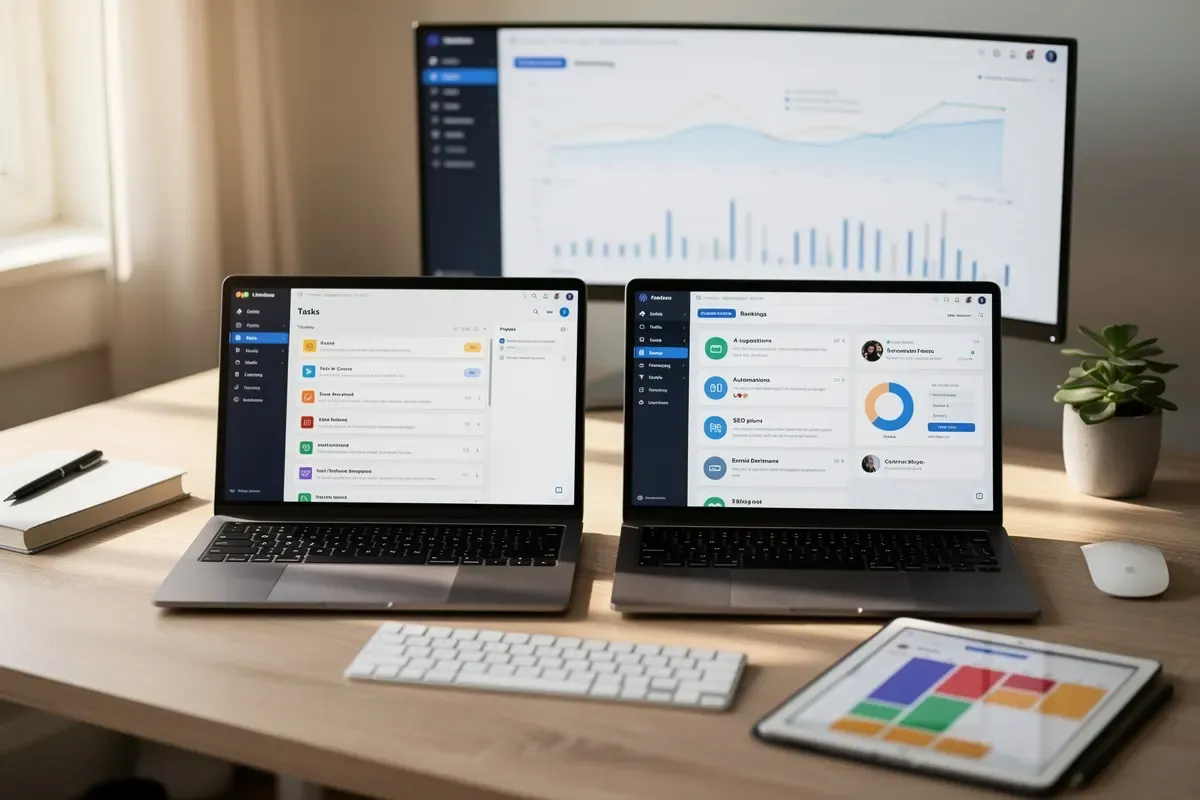
Comparing AI vs SaaS for task management is the process of deciding whether a smart, prompt-driven assistant or a traditional software subscription actually keeps your work organized. Most articles treat this like a boxing match, with a winner and a loser. That's not how it plays out in real life.
Here's the contrarian part: this isn't really a competition. It's a false choice that vendors love because it sells more software. You don't need to pick a side and defend it forever.
What most people miss is that AI and SaaS solve different problems. One organizes your tasks. The other thinks alongside you. Mixing them up is where teams waste months and money.
In practice, the real answer to comparing AI vs SaaS for task management isn't "either/or." It's knowing exactly which job each tool is built to do — and when to use both together.
Comparing AI vs SaaS for Task Management
Comparing AI vs SaaS for task management assumes you have to pick one. You don't — and treating it as a binary choice misses how these tools actually work together.
AI task tools are good at one specific job: turning messy input into organized action. They draft tasks from a meeting transcript, guess at priority, and nudge you when something's overdue. SaaS platforms do something different. They give your team the structure to actually run on — permissions, workflows, integrations, a shared record everyone can see.
Two Different Jobs, Not Two Competing Products
Think of it like a car. AI is the engine that generates motion. SaaS is the chassis, wheels, and steering that make the motion useful. One without the other doesn't get you anywhere.
According to INDATA, AI and SaaS work best together through automation, collaboration, and flexibility — not as rivals fighting for the same job. AI reduces the manual grind of task creation and prioritization. SaaS supplies the scalable, customizable backbone that keeps a growing team's work from falling apart.
Why This Matters More for Small Teams
If you're a solo founder or a five-person team, you feel this tension the most. You don't have budget for a big platform and a separate AI tool and someone to reconcile the two.
The winning move isn't AI-only or SaaS-only. It's layering AI on top of the SaaS system you already trust. You keep your existing workflows, permissions, and integrations. You just stop typing tasks by hand.
This is exactly the gap tools like maxmeg RankPilot are built to close for content and marketing teams — automating the repetitive setup work while your core systems of record stay put. The same logic applies to task management: automate the busywork, keep the backbone.
If you want the broader version of this argument — not just for tasks, but for your whole toolkit — we cover it in AI Tools vs SaaS Tools for Smarter Work. And if you're still building your general AI fluency before you start stacking tools, our step-by-step AI guide for founders is a solid starting point.
The real question isn't which one wins. It's how you combine them without adding another tool to babysit.
What AI Task Management Tools Actually Do Well

AI task management tools are best at killing busywork: they create tasks, prioritize them, and update them automatically, without you touching a keyboard. That's the honest answer. They're not trying to replace your project infrastructure — they're trying to stop you from typing the same follow-up task fifteen times a week.
Turning Meetings Into Tasks Automatically
Some tools now handle the entire task lifecycle on their own. According to Avoma, AI can auto-create, auto-curate, and even auto-complete tasks when a follow-up action happens — like sending an email or booking a meeting. You finish a call, and the action items are already sitting in your list. Nobody had to write them down.
That's a real shift from how task management used to work. You used to leave a meeting, remember (or forget) what you promised, then manually log it somewhere. Now the software listens, extracts the commitment, and tracks it until it's done.
Building a Project Plan in Minutes, Not Hours
AI is also fast at the part everyone dreads: staring at a blank project template. Teamwork.com's AI Project Wizard can generate a full project plan — tasks, sequencing, structure — in about 2 to 3 minutes, compared to the 30 to 45 minutes it takes to build one manually, according to Teamwork.com. You describe the project in plain language, and it hands you a starting structure instead of an empty page.
This is where AI genuinely earns its keep. It doesn't design your workflow or enforce your team's process. It removes the setup friction so a human can start refining sooner.
Where AI's Strengths Actually Show Up
- Auto-generated tasks pulled straight from meeting transcripts and calls
- Full-lifecycle tracking that creates, updates, and closes tasks based on real activity
- Instant project scaffolding via AI wizards, cutting setup time by roughly 90%
- Smart prioritization that reorders your list as deadlines and dependencies shift
- Context capture so nothing said in a meeting gets lost by Friday
According to INDATA, AI enhances efficiency mainly by cutting manual work, while structure and scalability still come from the underlying platform. That's an important distinction. AI is the assistant clearing your desk — not the office itself.
If you're weighing these tools against traditional platforms more broadly, our breakdown of AI Tools vs SaaS Tools for Smarter Work digs into that tradeoff in more depth. In practice, the tools that win are the ones that treat AI as an accelerant, not a replacement for a real system.
What SaaS Platforms Still Do Better — and Why You Still Need One
SaaS platforms still win at customizable workflows, permissions, integrations, and keeping one traceable record from spec to delivery. AI tools are great at doing tasks fast. They're not built to hold your whole team's work together.
Structure and Permissions AI Can't Replace
Think about who touches a single project. Designers, engineers, clients, finance — everyone needs different access. A SaaS platform lets you set custom permissions per role, per board, per client.
AI task tools don't do this well. Most were built for one person's inbox, not a 40-person org chart. You still need a system that enforces who sees what.
One Source of Truth, Not Ten Scattered Tools
Here's the real risk: scattered tools break context. When tasks, specs, and code review live in separate apps, teams lose the thread — a requirement gets written in one tool, planned in another, and delivered somewhere else entirely, according to ONES.com. That's how a client request from March turns into a shipped feature nobody remembers approving.
A unified SaaS platform tracks that requirement from spec to sprint to delivery, all in one history, without switching tabs. That's not a nice-to-have. It's how you avoid rebuilding the same conversation three times.
The Governance Problem Nobody Talks About
AI-assisted work creates a new headache: noise. Auto-generated tasks and AI agent outputs pile up fast, and without governance, nobody owns cleanup, per ONES.com's research. Your board fills with duplicate cards, half-finished AI suggestions, and tasks nobody assigned.
A SaaS system of record solves this by giving every task an owner, a status, and an audit trail. INDATA points out that SaaS platforms provide the flexibility and scalability AI tools lack on their own, according to INDATA. AI generates the noise. SaaS is what filters it into something usable.
If you're weighing which layer matters more for your team, our breakdown of AI tools vs SaaS tools for smarter work digs into this trade-off in more detail. And if you're still early in figuring out where AI fits into your stack at all, this step-by-step AI guide for SaaS founders is a solid starting point.
What SaaS still delivers, in short:
- Custom permissions — control who edits, views, or approves work by role.
- Cross-team collaboration — shared boards that connect design, dev, and client sign-off.
- Integrations — one platform that connects your calendar, docs, and code repo.
- Unified traceability — a single history from spec to sprint to delivery.
- Governance — a system of record that catches AI-generated task noise before it piles up.
AI-Only vs SaaS-Only vs AI-Layered-on-SaaS: Side-by-Side Comparison

Put the three models side by side, and the picture gets clear fast. AI-layered-on-SaaS wins on cost, governance, and speed for almost every resource-constrained team.
The Comparison Table
Here's how the three approaches stack up across the dimensions that actually matter when you're choosing a stack.
| Dimension | AI-Only | SaaS-Only | AI-Layered-on-SaaS |
|---|---|---|---|
| Setup speed | Fast to start, slow to trust | Moderate — templates help | Fastest — AI drafts inside existing workflows |
| Scalability | Weak without structure | Strong, built for growth | Strongest — structure plus automation |
| Cost / talent overhead | High — top AI talent commands 25-50% premiums over SaaS hires, per Forbes | Predictable subscription cost | Moderate — SaaS pricing plus lighter AI add-ons |
| Governance | Weak, prone to task sprawl | Strong, permission-based | Strong, with AI output routed through review |
| Best-fit team size | Solo users, small pilots | Mid-size to enterprise | Nearly everyone in between |
Why the Hybrid Model Keeps Winning
The pattern isn't subtle. Pure AI tools are cheap to try but expensive to trust at scale. Pure SaaS platforms are dependable but slow to adapt without manual setup.
The blended approach borrows the best of both. You get a SaaS platform's audit trail and permissions, plus AI's speed on repetitive work. According to ONES.com's 2026 tool guide, unstructured AI output without governance creates noise — auto-generated tasks pile up with no traceability. A SaaS backbone solves exactly that problem.
What This Means for Your Budget
Hiring AI specialists is expensive. Layering AI features onto a SaaS tool you already pay for is not. That's the real cost story most teams miss.
If you're weighing this trade-off in more depth, our AI Tools vs SaaS Tools for Smarter Work guide breaks down the budget math further. For founders building a stack from scratch, the Step-by-Step Guide to AI for Beginners walks through sequencing those decisions without overspending early.
Disclosure: This post contains affiliate links. We may earn a commission if you make a purchase at no additional cost to you.
How to Choose (and Build) the Right Stack for Your Team
The right stack starts with a SaaS backbone, then layers AI on top for the repetitive parts. Skip that order and you end up with either a rigid system or a chaotic one. According to INDATA, the strongest results come from combining SaaS's structure with AI's automation, not choosing one over the other.
Start With the Backbone
Pick one SaaS platform to be your source of truth for tasks, deadlines, and ownership. This is where every project lives, no matter how it started. If you want a fuller breakdown of when a dedicated platform beats a pure-AI tool, this comparison of AI tools vs SaaS tools for smarter work covers it well.
Layer AI Where the Grunt Work Lives
Once the backbone is set, add AI at the points where you're typing the same thing over and over. Task creation from meeting notes, status summaries, and priority sorting are good starting points, per Avoma's research on AI task tools. Don't try to automate everything on day one. Add one layer, use it for two weeks, then decide if it earns a permanent spot.
Extend the Same Pattern to Marketing Ops
This SaaS-plus-AI pattern isn't unique to task management. It works just as well for the tools running your marketing. An email platform like Moosend gives you the SaaS backbone for campaigns, while AI handles subject line testing and send-time optimization on top of it. SEO tooling follows the same shape — a platform like SE Ranking tracks your keywords and audits your site, and AI speeds up the research and drafting that used to eat your whole afternoon.
Content and SEO are usually where solo founders feel this pain most. You know you need to publish consistently, but you don't have a marketing team to do it. This is exactly the gap RankPilot was built for — it researches keywords, writes optimized articles, and tracks how you show up in AI search results like ChatGPT and Perplexity, all without adding headcount.
A Simple Build Checklist
- Choose one SaaS platform as your single source of truth
- Add AI only where a task is repetitive and low-risk
- Review AI-generated tasks weekly to catch noise, a risk ONES.com flags in its 2026 tool guide
- Apply the same backbone-plus-AI logic to email and SEO workflows
- Revisit your stack every quarter as your team and tools change
If you're still building the underlying skills to make these calls confidently, this step-by-step AI guide for SaaS founders is a solid next stop.
Frequently Asked Questions
Is AI replacing SaaS project management tools?
No, AI is complementing SaaS tools rather than replacing them. AI enhances SaaS platforms by automating task creation, prioritization, and insights, while SaaS provides the essential infrastructure for team collaboration and project tracking.
Can I use AI task management without a SaaS platform?
Yes, you can use standalone AI tools like ChatGPT or Claude to generate task lists and manage priorities independently. However, you'll lose team collaboration features, centralized tracking, and integration capabilities that SaaS platforms provide.
What's the cheapest way for a small team to combine AI and SaaS for task management?
Use free or low-cost SaaS tools like Trello, Asana's free tier, or Monday.com's basic plan paired with free AI tools like ChatGPT or Claude's free version. Many SaaS platforms now include built-in AI features at no extra cost.
How do I stop AI-generated tasks from creating clutter in my project management tool?
Set clear guidelines for AI task generation, use a separate staging area or inbox for AI-created tasks, and review them before adding to your main workflow. Configure your AI tool to only generate high-priority tasks and establish approval workflows.
So, Which One Wins?
Here's the real answer: it's not AI versus SaaS. It's AI and SaaS, used where each one fits.
SaaS gives you structure. Boards, deadlines, team visibility. AI gives you speed. Drafting, summarizing, prioritizing without the busywork. Pick a SaaS tool for the backbone of your workflow, then layer AI on top to cut the grunt work.
Don't overthink the decision. Start small, test one AI feature inside your current tool, and see what time it actually saves you. If you want a deeper breakdown of how these categories differ beyond task management, our guide on AI tools vs SaaS tools for smarter work is worth a read.
Ready to stop juggling five apps? Try RankPilot and let AI handle the busywork for you.